Wednesday, March 23, 2016

ArtStor Alert! Technical Difficulties with Safari & Mobile Site Maintenance

We're writing to provide some updates to recent issues in the Artstor Digital Library.

Currently, some users accessing ArtStor remotely (with a username/password) using Safari are experiencing network error messages. ArtStor is working to address the issue and hopes to have a solution in the near future. In the meantime, please access ArtStor remotely using Firefox, Chrome, or IE. If you only have access to Safari, you can still get to the Digital Library remotely through CSM Library’s proxy server.

Additionally, this Thursday, March 24th ArtStor will be releasing a patch for ArtStor Mobile between 4:00 and 7:00 am Pacific. Although there is no scheduled downtime during this period, users accessing the mobile site may experience interruptions. This patch will fix issues experienced after viewing zoomed images, as well as erroneous remote access expiration notifications users have encountered.

Please reach out to ArtStor at userservices@artstor.org with any questions.

Friday, March 11, 2016

ProQuest Alert! ProQuest Databases will be down Saturday night for maintenance

ProQuest will be unavailable Saturday 7pm - Sunday 4am


ProQuest tools will be unavailable from 7:00 pm Saturday, March 12 - 4:00 am Sunday, March 13. We apologize for any inconvenience.

Impacted databases include:

  • Business Dateline
  • ebrary Academic Complete
  • ebrary e-books
  • Ethnic Newswatch
  • Ethnic Newswatch: A History
  • PILOTS: Published International Lit on Traumatic Stress
  • ProQuest Biology Journals
  • ProQuest Deep Indexing: Nursing
  • ProQuest Nursing and Allied Health Source
  • ProQuest Research Library: Business
  • ProQuest Research Library: Health & Medicine
  • ProQuest Research Library: History
  • ProQuest Research Library: Literature & Language
  • ProQuest Research Library: Science & Technology
  • ProQuest Research Library: Social Sciences
  • ProQuest Research Library: The Arts
  • ProQuest Research Library (Combined)
  • ProQuest Statistical Abstract of the US
  • ProQuest Statistical Insight - Statistical Abstract
  • PsycARTICLES
  • SIRS Researcher
For further information about maintenance and scheduled downtime for ProQuest tools, please visit their Support Center.

Monday, March 7, 2016

112 new videos added to our Films On Demand collection!


Films on Demand Logo and new title search results


Browse New Titles from Films on Demand: http://buff.ly/1p395bQ

Films on Demand has added 112 new videos on a range of topics from culture, music, to career resources.

A few of the most popular include:


This database subscription is paid for by the College of San Mateo Library, and is accessible to current students, staff, and faculty of College of San Mateo with a current Peninsula Library System Library Card.


Friday, February 5, 2016

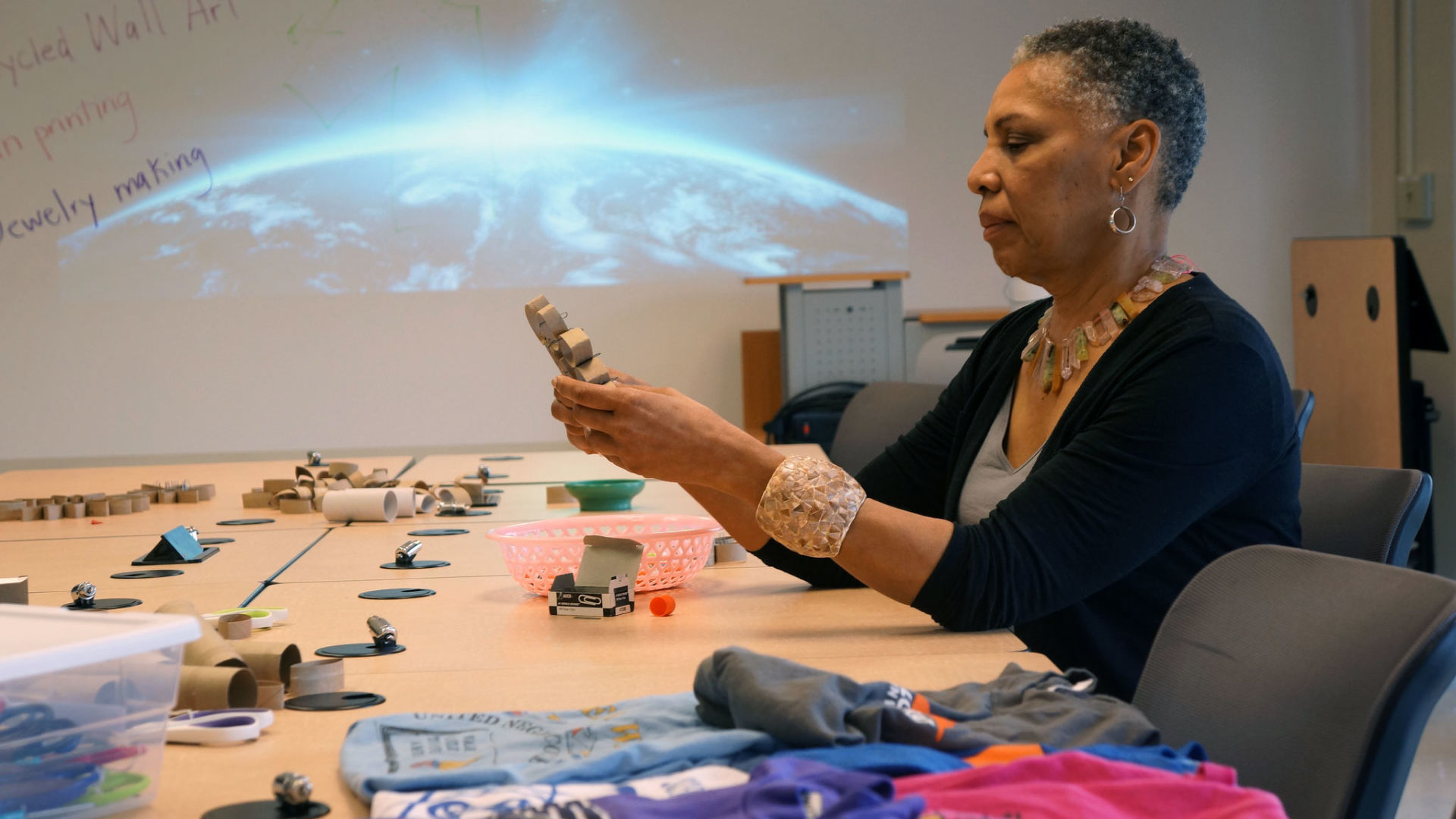
KQED MindShift features CSM Library Makerspace

KQED MindShift features CSM Library Makerspace

woman making wall art from cardboard tubes

The College of San Mateo Library Makerspace is featured in the article "What Colleges can Gain by Adding Makerspaces to their Libraries" by Katrina Schwartz (February 5, 2016).

Read about makerspaces in three different colleges and universities in order to learn more about what makerspaces in the academic environment have to offer.

To learn more about the CSM Library Makerspace, visit our website.

Tuesday, February 2, 2016

Our database web addresses have changed! Make sure to update your bookmarks.

Web Address Changes for Most Subscription Databases

Hi! The CSM Library has moved to a new server for authenticating student, staff, and faculty access to subscription databases.

What does this mean for you?

If you navigate to the database you are using (for example, Academic Search Premier, or Ethnic NewsWatch) by following links from the Library website or research guide, there should be no changes for you. These links have already been updated. If you do have a problem, please let us know.

However, if you have bookmarked your favorite links or keep a list of them in WebAccess or some other webliography (a list of web resources), you will likely need to update your links so you don't encounter an error message, or otherwise have problems accessing databases from off campus.

404 error message with planet in space

How to recognize the new link

The new links will have a different "proxy" or authentication prefix. There is one exception, which is the Safari ebook collection, which will stay the same.

An example for the Access Science database
The "proxy" url is a found at the beginning of the database url as a prefix. This is what the old proxied link looks like for the Access Science database:
http://ezproxy.plsinfo.org:2048/login?url=http://www.accessscience.com

A proxied url, when you are off campus, will allow you to login with your library card account and PIN, so you can access the Access Science database. Notice that there are two instances of "http" in the link above. 

The first instance is for the proxy url, which ends with an equal sign. This url has changed.
OLD proxy url: http://ezproxy.plsinfo.org:2048/login?url=
NEW proxy url: http://ezproxy.collegeofsanmateo.edu/login?url=

The second instance is the database web address. The database web address will stay the same.
http://www.accessscience.com

To update the link, just replace the the old proxy url with the new proxy url. The updated proxy link for Access Science is

What you should do

For any of your bookmarks or webliographies that include proxied links to CSM Library databases, either create the bookmarks again from scratch, using the links provided on the CSM Library database page, or update manually by replacing the old proxy url with the new proxy url. Depending on your resource type, you may be able to use the find and replace feature on your application.

Remember that the Safari ebook Collection has not been impacted by this change. Its link will stay the same.

Need help?

Need help updating your bookmarks or other web resource lists? Contact a CSM Librarian.

Monday, February 1, 2016

Stitch Africa! History of African Textiles & African American Quilting #free #event #BlackHistory 2/5/16

Join us for Stitch Africa!

Renowned Textile Artist Marion Coleman will host a trunk show and lecture on the History of African and African American textiles and quilts. A quilting workshop will follow.

All events are free, and sponsored by the College of San Mateo Library.

Quilt and head shot of Marion Coleman wearing yellow shirt plus text of event details


Date: Friday, February 5th

Lecture and Trunk Show: 10:00 am - 11:00 am, Building 5, Room 202
Quilting Workshop: 12:00 pm - 4:30 pm, Building 9, Library Classroom

About Marion Coleman
Memory, family stories, cultural change, and a world filled with color serve as her inspiration. For over thirty years Ms. Coleman worked as a counselor in youth and family services. She now combines this experience with her art to create work that explores memory, social change, and community.
headshot of Marion Coleman wearing yellow shirtMs. Coleman's work has been presented in several publications including Crafted Lives: Stories and Studies of African American QuiltersJourney of Hope: Quilts Inspired by President Barack Obama500 Art QuiltsCreative Quilting: The Journal Quilt Project,Textural Rhythms: Quilting the Jazz Tradition. Ms. Coleman's work has also been featured in the O, The Oprah MagazineQuilting Arts Magazine, and American Craft Magazine. The books listed above are available in the CSM Library.
Ms. Coleman received a 2009 Alameda County Arts Leadership Award and a 2007 Creative Work Fund Grant to collaborate with two other quilt artists and the Bay Area Black United Fund for a project on African American health disparities.
Ms. Coleman has served on the Boards of Directors of the African American Quilt Guild of Oakland and Textile Arts Council of the deYoung Museum in San Francisco. She has also served on the African Advisory Council of the Oakland Museum.
Learn more about Marion Coleman at:

Saturday, January 23, 2016

New York Times online accounts are now available for students, staff, and faculty!

NEW YORK TIMES inEDUCATION IS NOW AT CSM


New York Times

College of San Mateo Library now offers online New York Times accounts for all students, staff, and faculty. This includes unlimited access via mobile apps on tablets and smart phones.

NYTimes.com accounts are good for one year for eligible CSM community members only (current students, staff, and faculty), after which accounts must be renewed from on campus.

Faculty are eligible for a New York Times in Education account. New York Times inEducation provides curated content for a range of disciplines on how to incorporate news content from the New York Times into your curricula.

Highlights & Features:

Only Registered Users Can:

  • Save articles for later. Retrieve your Times content from any device.
  • Receive custom newsletters. Sign up and get news sent right to your in-box.
  • Access content tailored to you. Enjoy personalized articles, videos and slide shows.
  • Comment on articles. Spark conversations with other readers.
  • Email stories, videos, and multimedia. Share your favorite content with your favorite people.

NYTIMES.COM ACCOUNT SET UP


  1. Click www.NYTimes.com/GroupPass
    (You must be on campus to create the account. Once created you can access your account anywhere.)
  2. Click on Create Account.
  3. Sign up by typing in your email address and any password.
  4. Access www.NYTimes.com on any computer. Log in using the account you created.
  5. Visit www.NYTimes.com/mobile on your tablet or mobile device to download your free NYT apps. Log in using the account you created.